This short video shows how to download NALA and set up your account, including verification. Once your account is ready, follow the payment steps below.
A verified NALA account (identity verification completed)
A debit or credit card, or a linked bank account
The agreed payment amount
Step by Step
How to Send Your Payment
Nine steps inside the NALA app, with a screenshot of every screen you’ll see.
1
Open the NALA App
Launch NALA on your phone and sign in to your verified account.
2
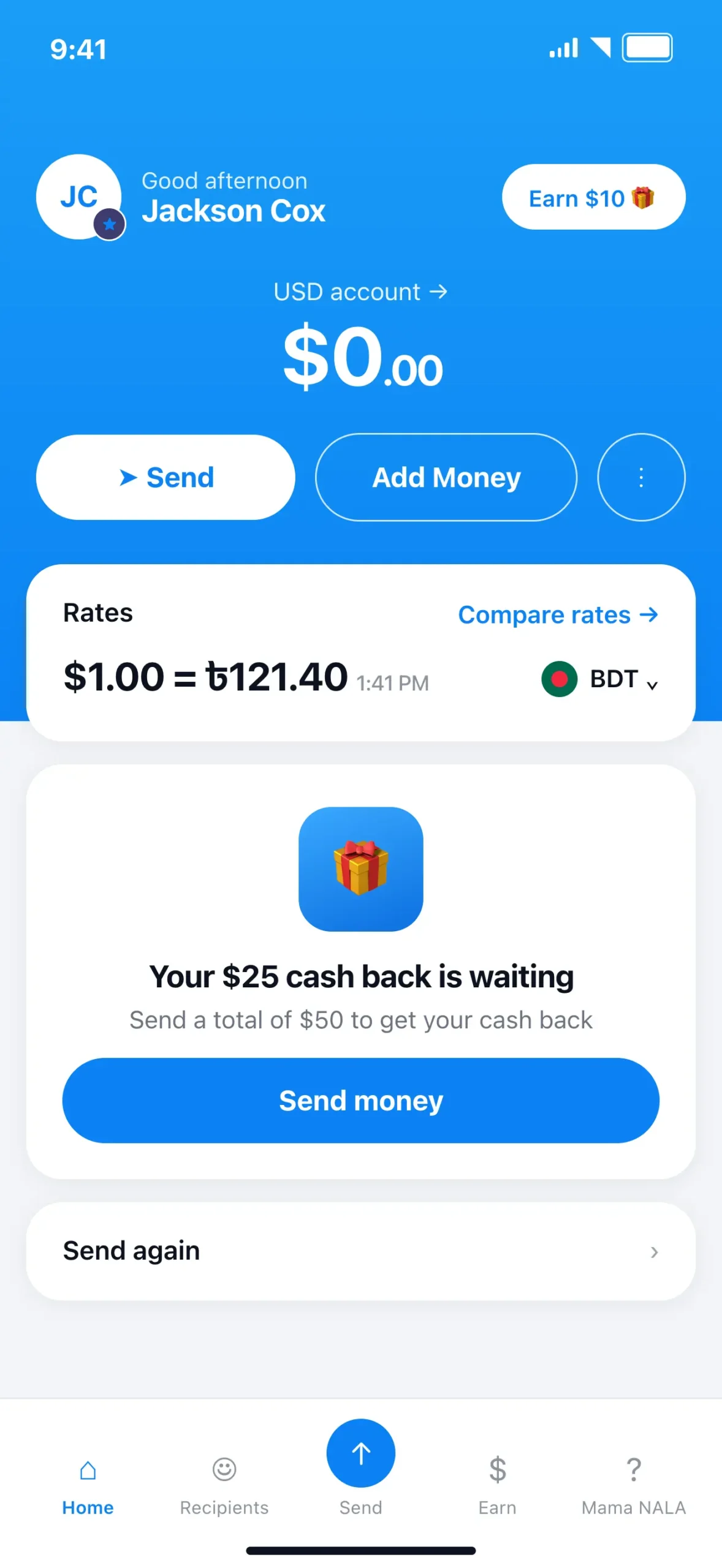
Tap Send
From the home screen, tap the Send button to start a new transfer.
3
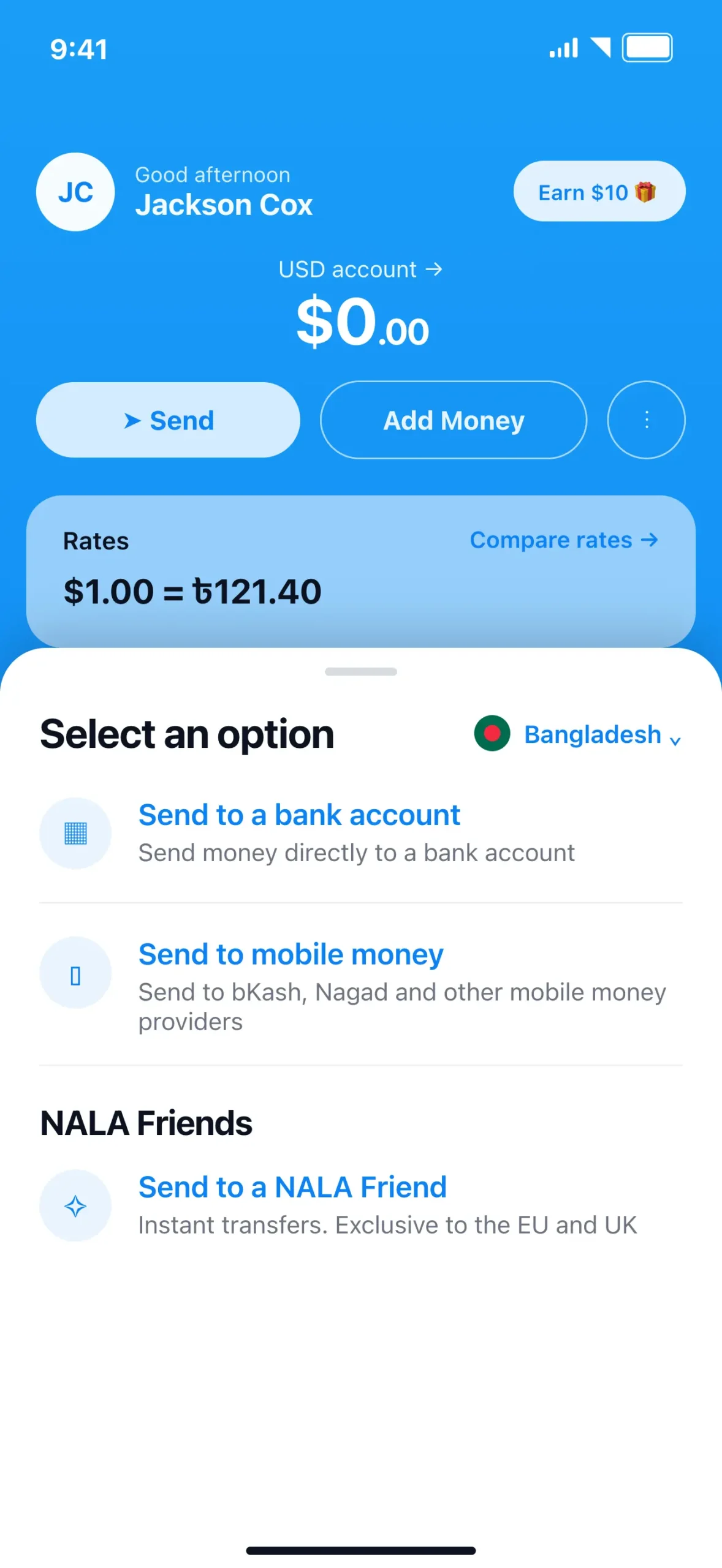
Choose Bangladesh, Then Send to a Bank Account
Make sure the destination country is set to Bangladesh, then select “Send to a bank account” from the options list.
4
Create a New Recipient
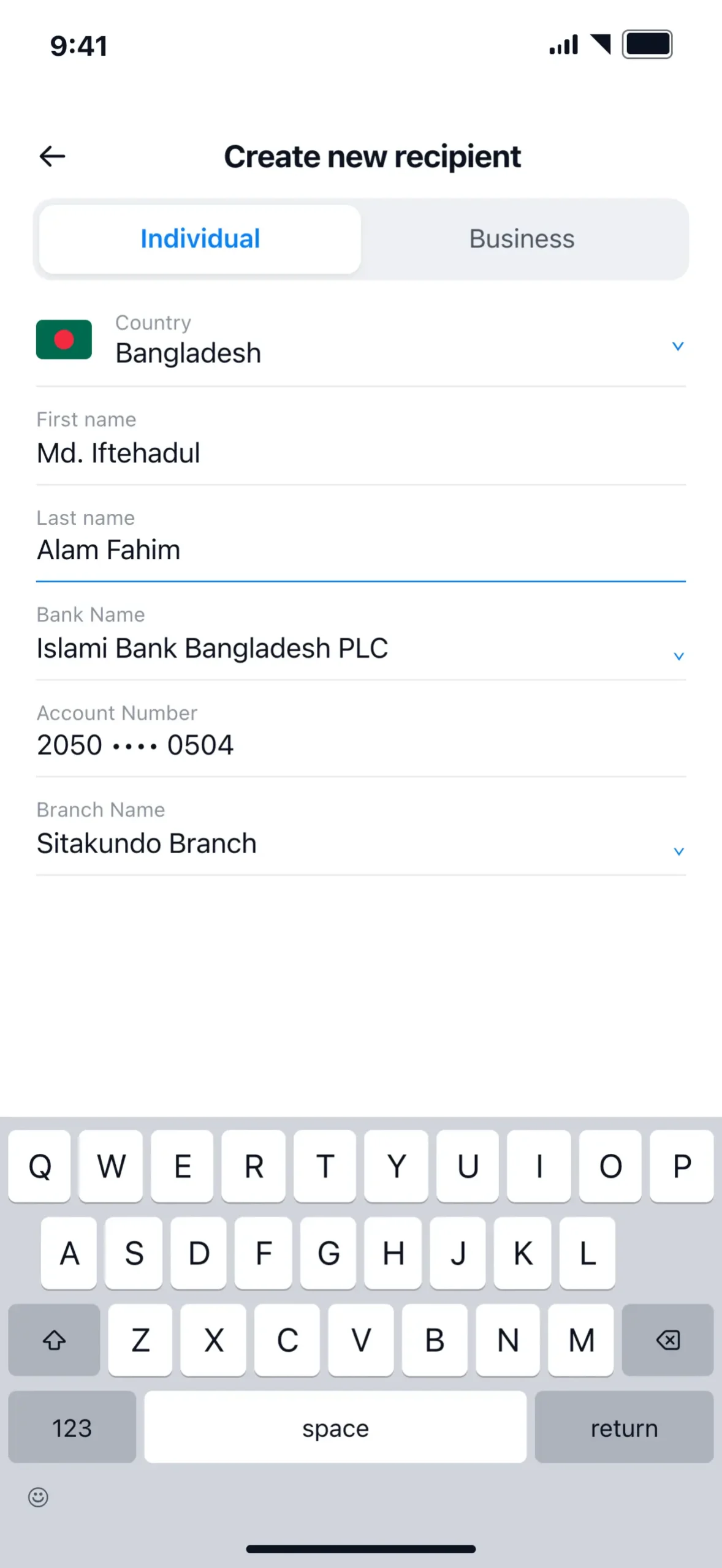
Choose Individual, then fill in the recipient’s details using the information below: country, first name, last name, bank name, bank branch, and account number.
Copy each field into NALA's Create new recipient screen, or copy everything at once.
CountryBangladesh
First NameMd. Iftehadul
Last NameAlam Fahim
Bank NameIslami Bank Bangladesh PLC
Bank BranchSitakundo Branch
Account Number20502210204200504
5
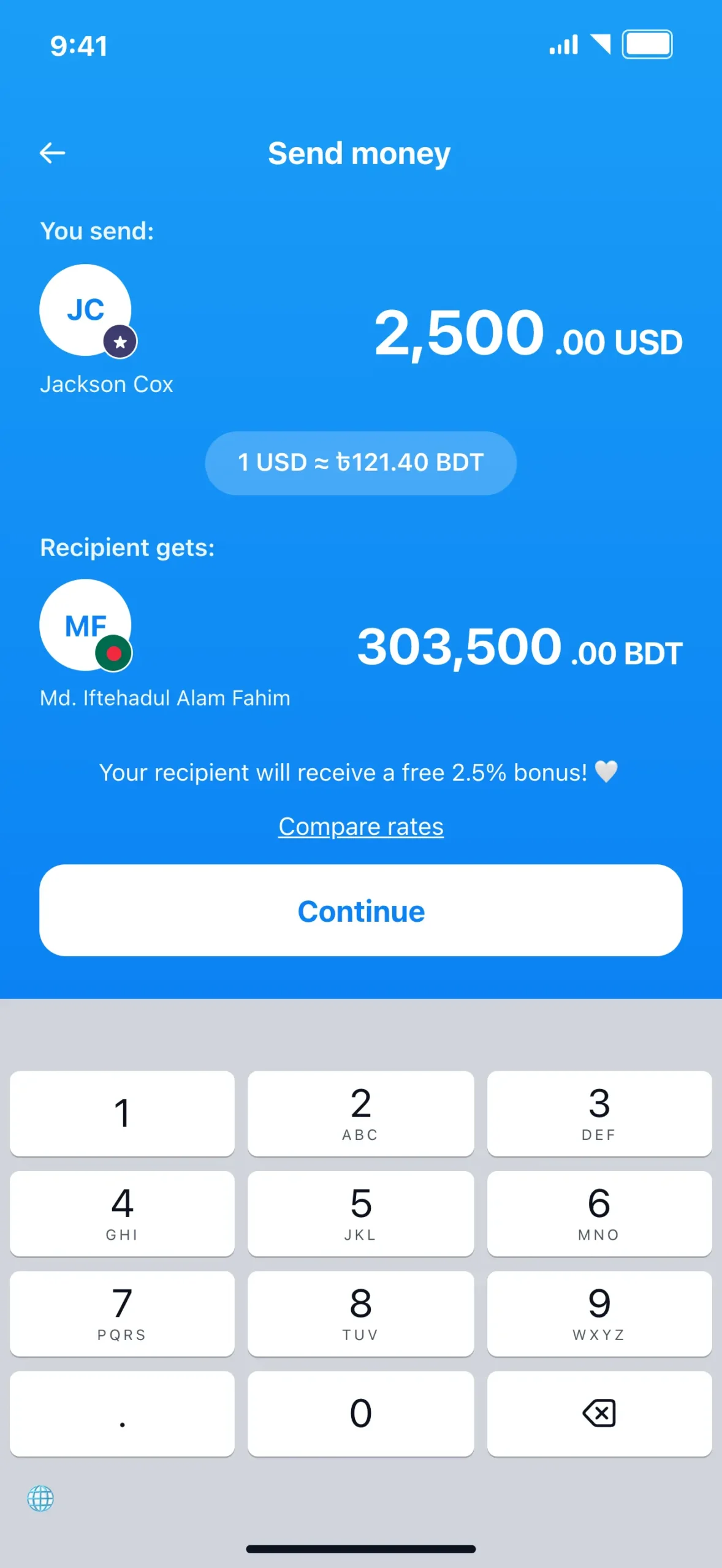
Enter the Payment Amount
Enter the amount we agreed on for your project. NALA shows the exchange rate and what the recipient will receive before you continue.
6
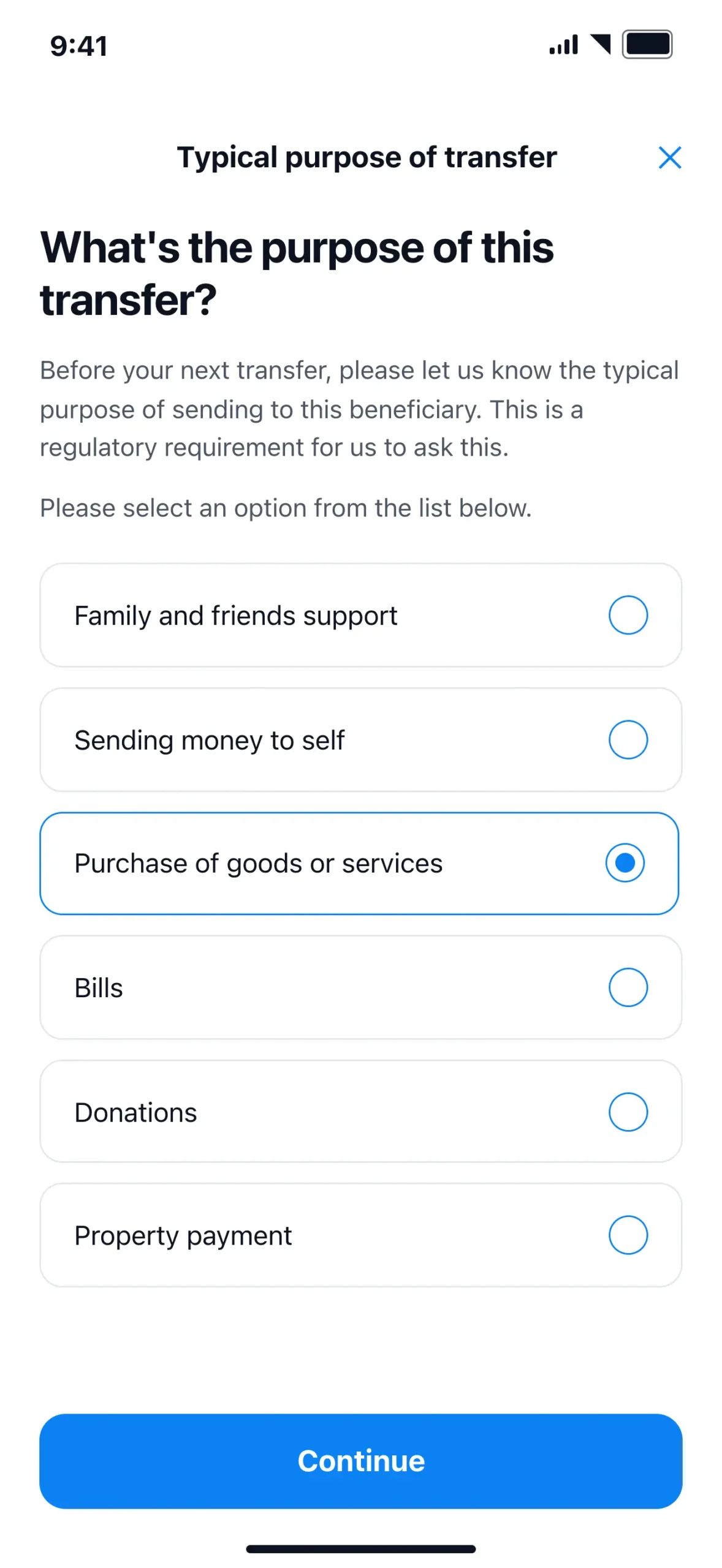
Select the Purpose of Transfer
Choose “Purchase of goods or services” as the purpose, then continue.
7
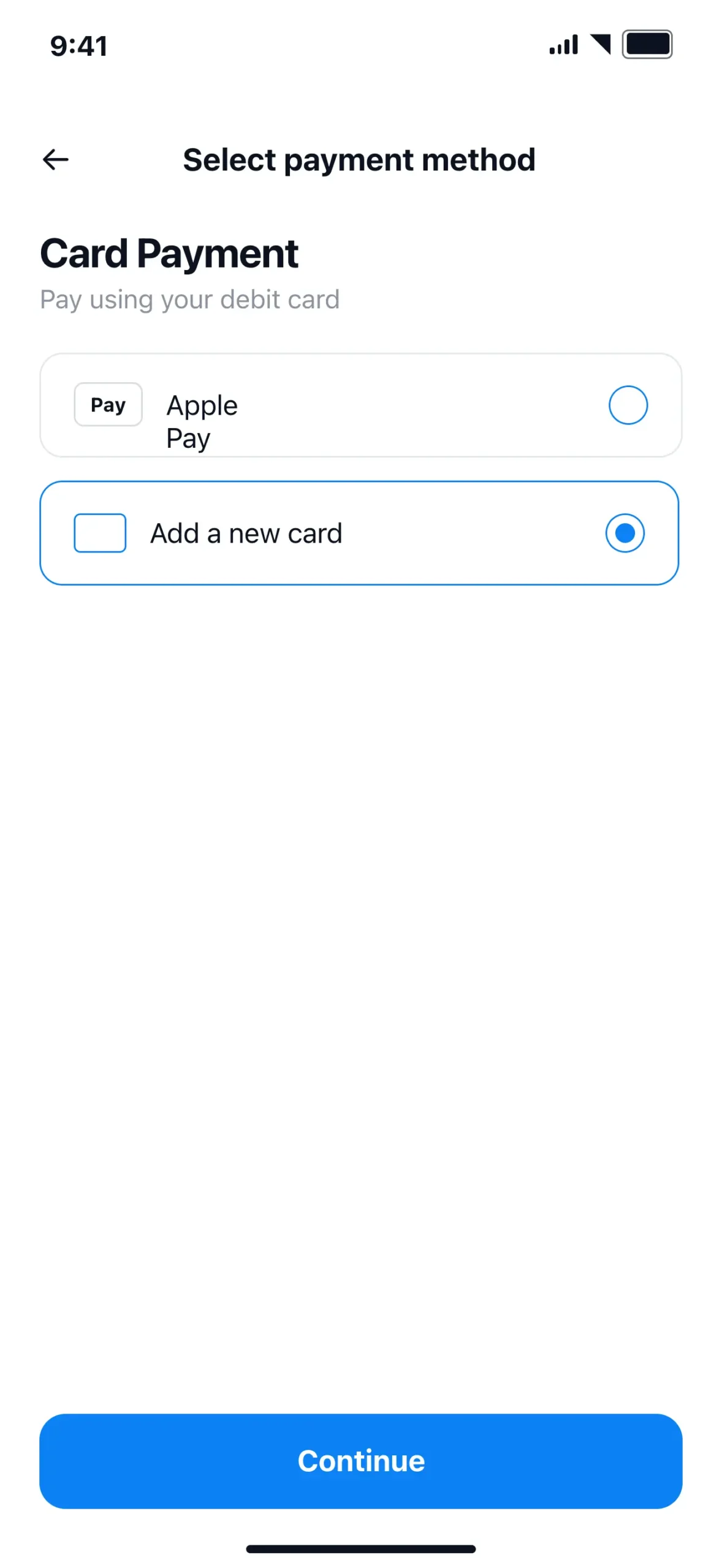
Select a Payment Method
Choose how you’d like to pay — Apple Pay or a debit/credit card — and add your card details if it’s a new card.
8
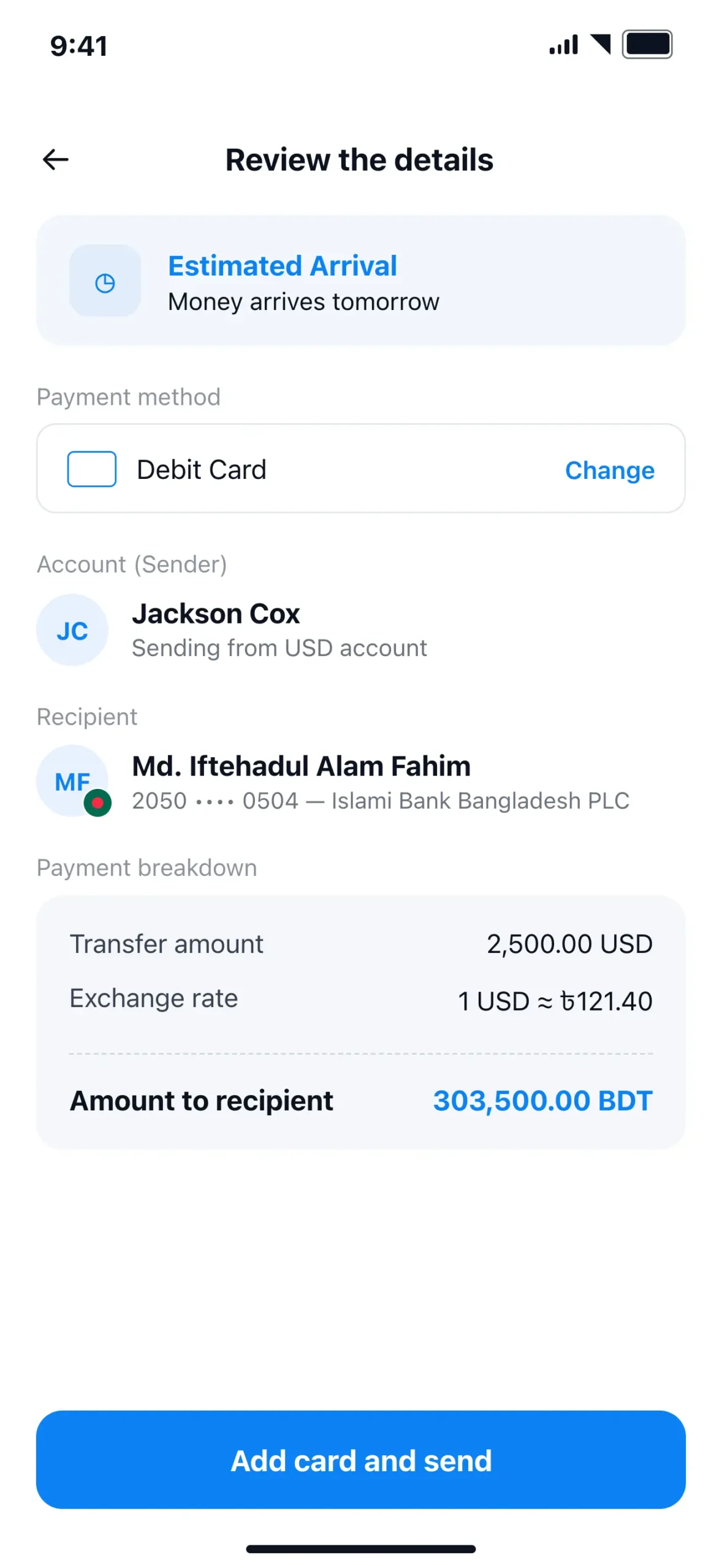
Review the Details and Send
Check the recipient details, transfer amount, and exchange rate one last time, then confirm to send your payment.
9
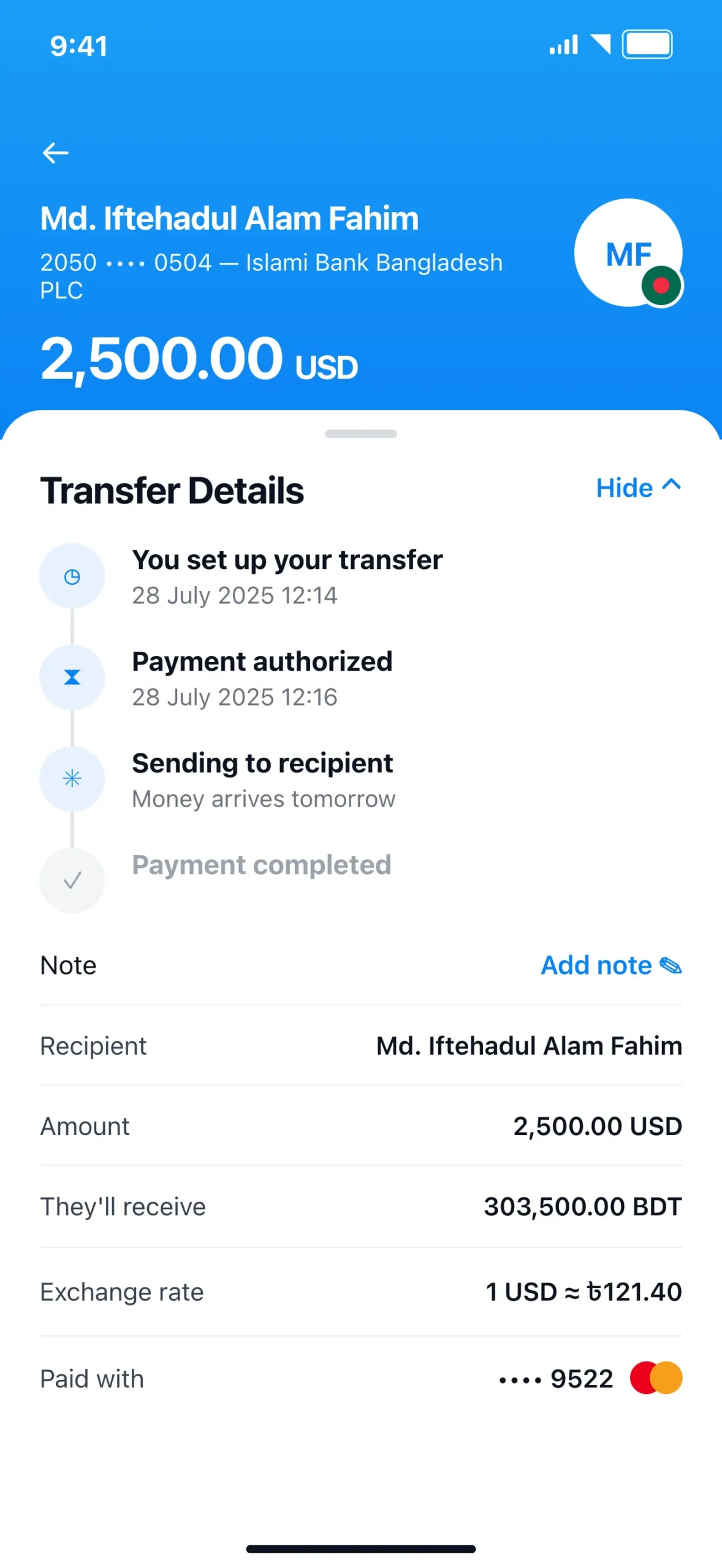
You're Done
NALA will show the transfer status and estimated arrival. Once the transfer is complete, you’re all set.
Payment Sent?
If you’d like, you can send me your NALA transaction confirmation or receipt. This isn’t required, but it can help me confirm your payment more quickly.
Yes. You'll need a NALA account before sending your first international transfer. The app will guide you through account setup and identity verification.